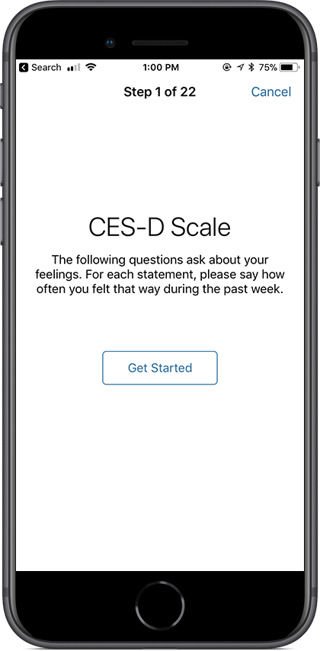
An instruction step is the most basic step type. It allows you to present some simple text content to the user.
Icons and Images
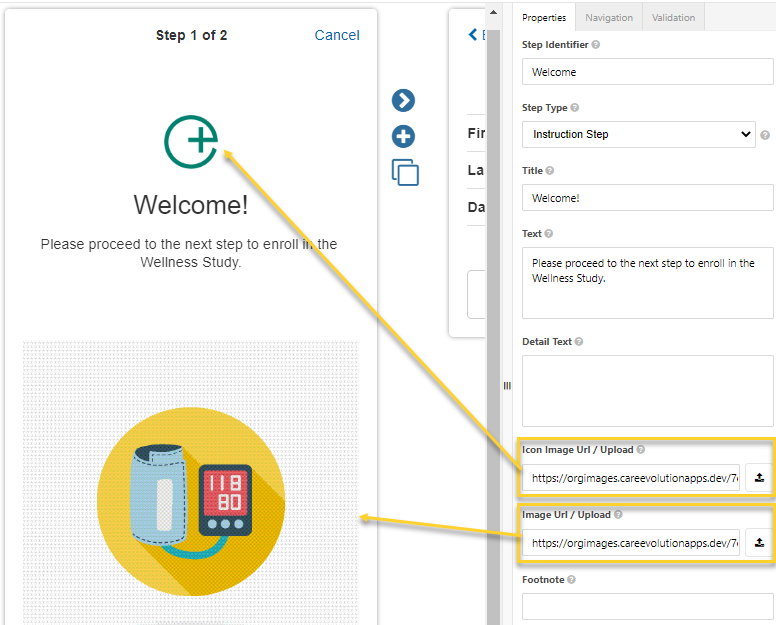
The following figure illustrates how the icon and image URLs are used when displaying the instructions. When an image is uploaded to the survey step, a CareEvolution URL is automatically created for hosting the image.
You'll want to consider the device platform your participants will be using when you add images. The average mobile screen has a width of approximately 390px and should use a minimum font size of 16px (12pt), assuming a typeface similar to Arial or Helvetica. If designing for retina screens, doubling the resolution is recommended, so 780px width and 32px (24pt) font. We always recommend testing how your images display on actual devices.
For security reasons, images must be hosted on CareEvolution's servers; external links are not permitted.