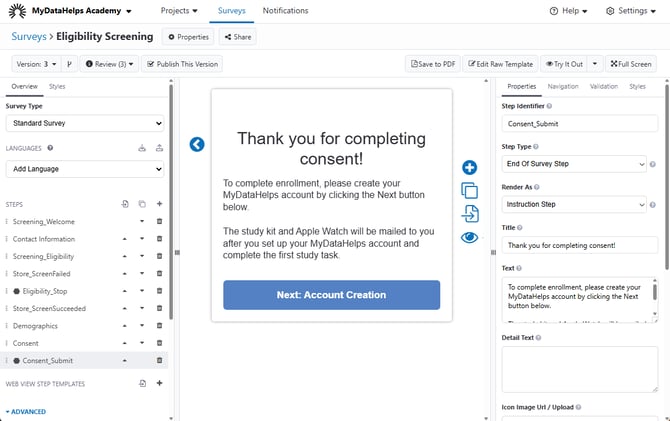
The End of Survey step allows you to display information to the participant at the end of their survey, after their results have been submitted. This can be especially useful for surveys completed via web, to ensure that survey results are saved before the participant exits out of the browser.
This differs from every other survey step type because the survey results are submitted prior to showing this step (i.e., if the last step of a survey is anything but an End of Survey step, the results are not submitted until the user clicks "Done.").
Additionally, the “Back” button is hidden since the results are submitted and cannot be edited once the participant reaches this step.
This step type can be rendered as an Instruction step, a Celebration step, or Web View step. Please see the corresponding articles for more information on the additional fields available for each type.
When using an End of Survey Step rendered as an Instruction Step, there is also a checkbox field for "Hide Next Button". Checking this will prevent the participant from proceeding beyond this step if completing the survey via survey link or recruitment survey, for example if they are ineligible to join the study.
While a participant can only have one End of Survey step in a survey, you can have multiple End of Survey steps so long as you use navigation rules to direct participants to the right one. For example, if your project uses a recruitment survey link to screen & consent participants, you may want to incorporate two End of Survey Steps into your survey:
-
If a participant does not meet the eligibility criteria, they should land on a step that informs them and prevents them from continuing.
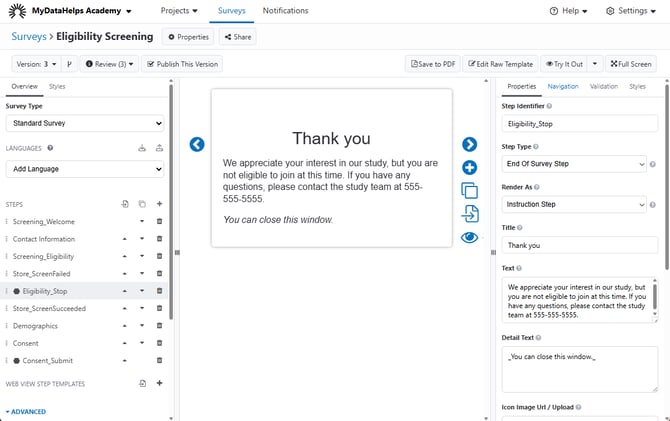
- If a participant does meet the eligibility criteria, the last step can save their results and inform them of next steps.